What you get
Step 1: Add Wolf Grounds and your players
If you haven't yet, set up Wolf Grounds in your server and add your squad.
Step 2: Connect Twitch accounts
Wolf Grounds links a PUBG name to a Twitch channel by itself when the two names closely match. When they don't, an admin can run /twitch link with the PUBG name and the Twitch login, or link them from the server's Roster page in THE DEN.
Step 3: Make sure past broadcasts are saved
Clips are cut from Twitch VODs, so streamers need Store past broadcasts turned on (Twitch Creator Dashboard, then Settings, then Stream). With no saved VOD there's nothing to clip.
Step 4: Turn the posts on
In #wolf-setup, answer Yes to "Do any of your players stream on Twitch?". That turns on Wolf Reports, Wolf Clips and live stream alerts.
Wolf Reports and Wolf Clips posts in Discord come with the Pack Leader membership.
Step 5: Wait for the next scan
Wolf Grounds looks for new clips four times a day, so they can turn up an hour or two after the match itself was posted.
Find clips without Discord
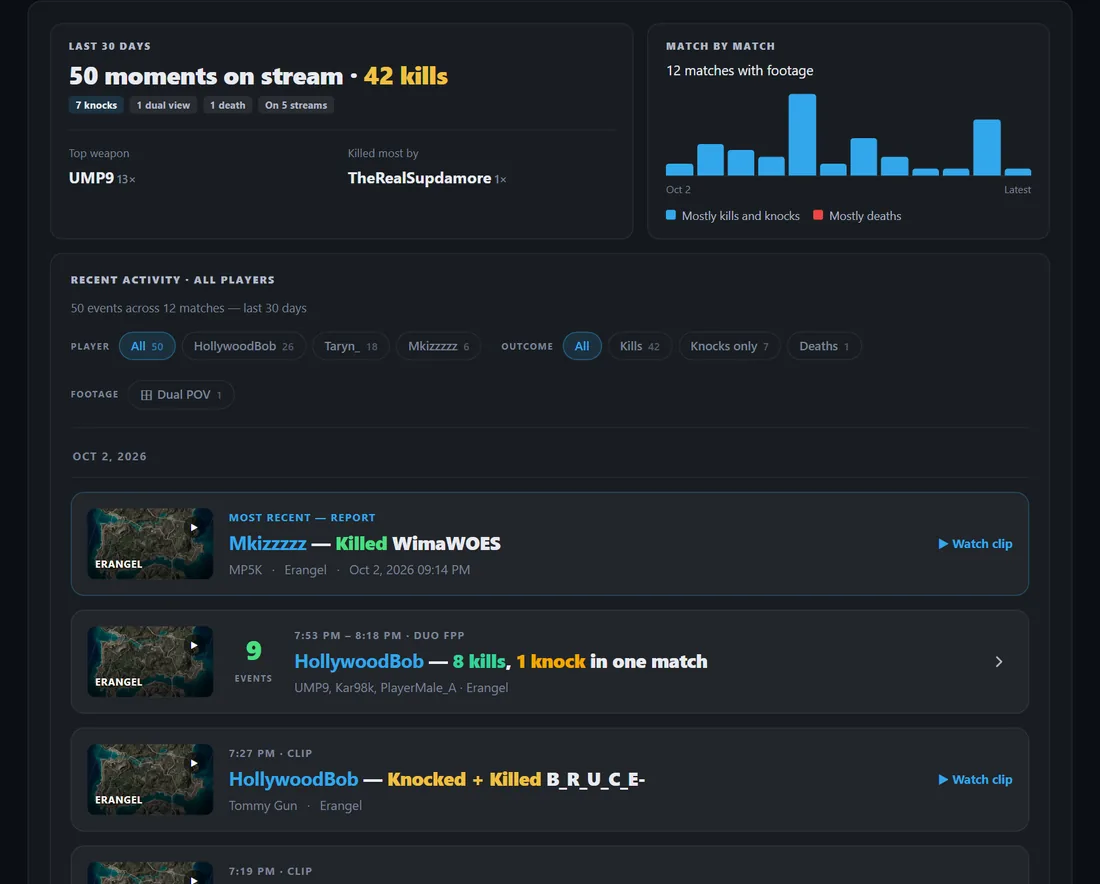
Open any player's stats page on wolfgrounds.com, go to the Wolf Reports tab and press Scan for VOD clips to search their recent matches. You can also browse the latest clips on the Wolf Reports page.
Common questions
- Why is there no clip for a kill?
- The streamer has to have been live and saving VODs at that moment, and Twitch has to still have the VOD. Twitch deletes VODs after 7 to 60 days, depending on the channel.
- Does it work with YouTube or Kick?
- Not yet. Clips come from Twitch.
- Does it work on Xbox or PlayStation?
- Not yet. Wolf Grounds tracks PC (Steam) players.
Ready when you are.
Add Wolf Grounds to Discord